Bag It!

March 4, 2010 11:53 by elizabeth

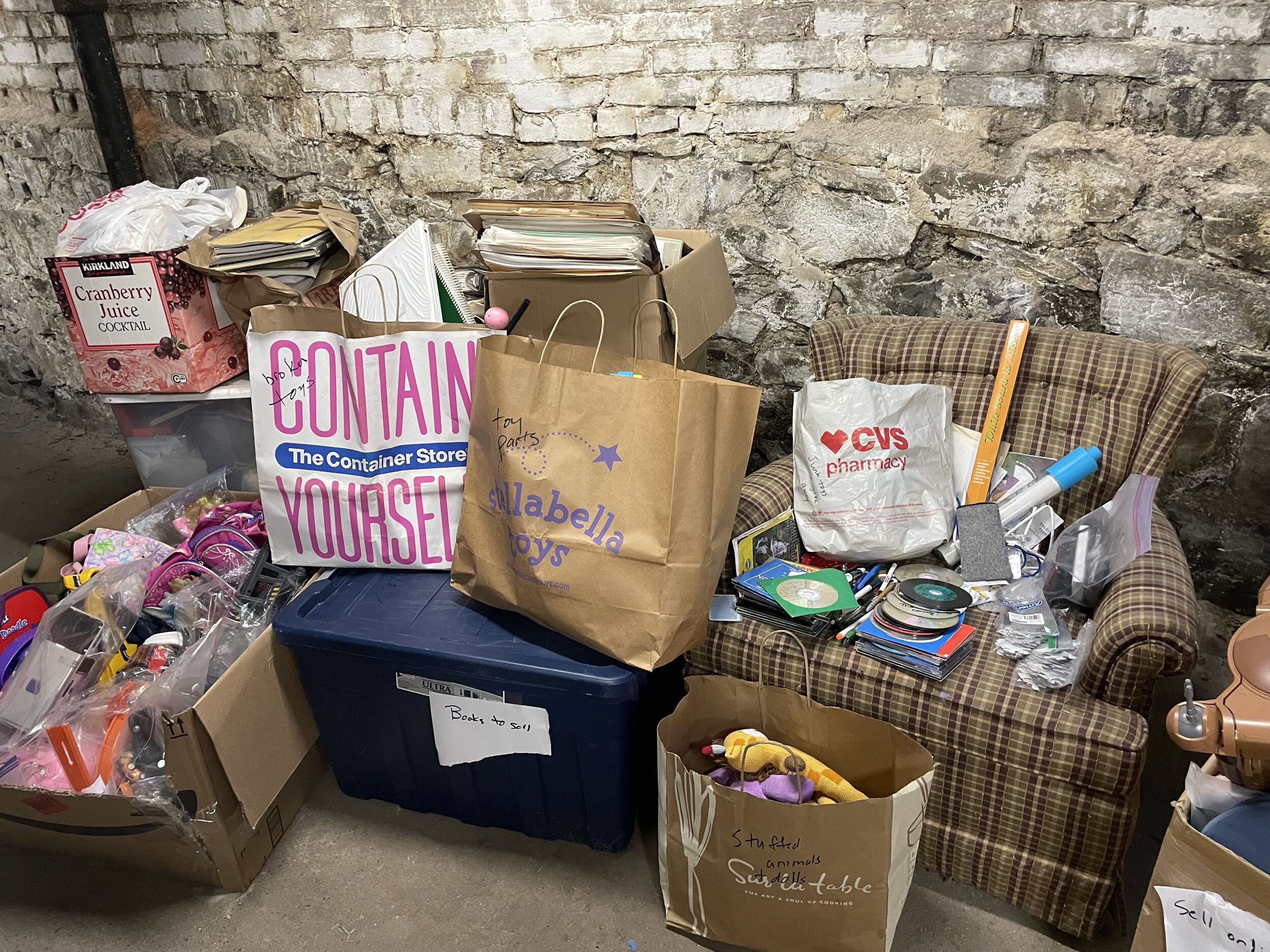
Bags are an excellent and inexpensive organizing tool:

  • Use different bags to designate different activities; for example, my daughterswim bag has a school backpack, ballet bag, ice skating bag, and swim bag.
  • Bags can also help in other ways. We have a bag with stickers, paper, and small toys and games that we take in the car for short trips (when the DVD player seems like too much). I add things to this special "car bag" at random times so that when it comes out it holds some surprises. (This could be a good use for those small plastic toys from restaurants and birthday parties that seem to multiple in kids' rooms.)
  • Many families keep a bag just for library books.

How do you use bags in your home? Be sure to label the bags or use different colors/designs to quickly tell them apart. Then you can grab and go!

This was first published in The Neat Sheet newsletter. Sign up for the newsletter here.

Categories:   Kids | Tips
Actions:   E-mail | Permalink | Comments (0) | Comment RSSRSS comment feed

Taking a Light Hearted Approach to Organizing

February 13, 2010 01:35 by janna

We hear a lot these days about “getting organized”. I saw the topic on many New Year’s resolution lists in January. It’s true, once you get yourself organized you quickly realize how much smoother your entire life runs.

However, I’ve seen the other end too – believe it or not, too organized! So much so that it makes it difficult to actually “live” in a home comfortably.

I think at one time, I fell into that category: a place for everything, everything in it’s place “QUICKLY” kind of approach worked best for me. But for my family? Maybe not so much.

For example, my daughter would come through the back door from a day at school, kick off her shoes, dump her backpack, lunch, etc. and be so excited to tell me about her day. I would listen (sort of) while whisking shoes into a bin, hanging up her backpack and cleaning out her lunch bag all in record time. In a flash, I had it done and would move onto my next task – usually dinner.

Fortunately, it occurred to me one day (hopefully not too late) that I was wasting valuable face time with her. I realized I was missing out on the big stuff – the important stuff - the stuff that really mattered.

We live in a relatively small home – a little less than 1900 sq.ft. and while it is ample space for three of us, in no time it can feel messy and disorganized if things don’t quickly migrate to their ‘homes’.

But how quick is to quick? Seconds from landing is probably too quick.

My solution: I learned to get things in order before I turned in for the night. I’d spend a few minutes, usually not more than 20 or 30, picking up, looking over schoolwork, making lunches, etc. Things were quieter then too and I found the time less stressful and even enjoyable. I knew that when I got up the next morning, things were organized and I could go about getting my day started quickly and easily.

Whether it’s getting your paperwork in order, getting your kids out the door in the mornings, grocery shopping, getting dinner on the table or cleaning up your house, take a step back and remember to actually “live” in your home. Your family will love you for it too.

Happy Valentine’s Day.

Categories:   Holidays | Kids | Time Management | Tips
Actions:   E-mail | Permalink | Comments (0) | Comment RSSRSS comment feed

A Valentine’s KISS = Keep It Super Simple

February 2, 2010 18:48 by elizabeth

This month, enjoy time with your valentine…but why not also spend a little time getting organized for tax day on April 15th?

Tax Day Preparing for taxes doesn’t have to be complicated, and often the simplest systems are the easiest to maintain. So this month, don’t forget another kind of KISS = Keep It Super Simple. Here are some KISS tips to help you organized before tax day:

  • Gather all the tax documents arriving in your mail, like W-2s, bank and mortgage interest statements, into one folder. Keep the folder near where you open the mail and as soon as you get these important tax documents, drop them in.
  • Collect all your receipts that may be used for deductions. I keep my personal deductions in a section of an accordion folder with my bills. I keep business deductions in a separate envelope in my office file cabinet. I have one client who uses clear plastic bags to organize her receipts, both personal and business. Throughout the year she finds a receipt, and puts it in the bag. It’s super simple, and it works!
  • If you have to do the same preparation process for taxes each year, make a list of the steps. After several years of preparing my business taxes for my accountant, last year I finally made a checklist of what documents I needed to gather, what calculations I needed for my home office deductions, etc.  I know that using my checklist will save me time this year.
Categories:   Tips | Money
Actions:   E-mail | Permalink | Comments (0) | Comment RSSRSS comment feed

12 Months Organized a Quarter at a Time

January 20, 2010 02:30 by janna

January is National Get Organized month….but I’ll bet you have something that needs to be taken care of every month of the year. By splitting the year into quarters, you can rest assured that you will make every monthly deadline and do it with ease.

For the past 15 years I have made the bulk of my living as a photostylist and producer for catalogs, magazines and advertising campaigns. So come January I’m actually thinking April, May and June. By Valentine’s Day I’ll be gearing up for July and summer-themed shoots. Come spring, I’m working on the holidays and spend most of my summer thinking ‘Winter Wonderland’ and by fall, it’s spring colors and ideas that cover my desk. The sheer nature of the business requires not only lots of organization and coordination, it requires me to think at least 3 or 6 months or even a whole year ahead!

calendarSo, years ago I started to organize not only my work calendar this way but also my personal one. By thinking ahead to what needs to be done at least three months ahead assures me that I will be prepared.

Starting in January I’m thinking about the second quarter of the year, April, May and June. The big item for all of us is taxes! So, right after I’ve wrapped and stowed the last of the ornaments, I’m up to the office with that April 15 deadline at the top of my “to do” list.

Here’s how I begin to organize my year:  I start with the givens and put them at the top of my monthly list. Next, I add things that I want to accomplish by the end of every month, along with family obligations, vacations etc. And, like you I have my daily schedule. As a freelancer, it changes a lot so being flexible and prioritizing is key.

For example:

QUARTER 1:

January = April EASTER (4th), TAXES (15th)

  • Organize, file and prepare for tax season
  • Plus:
  • Organize linen closet
  • Clean out clothes closet
  • Look for gifts for April birthdays (2)

February = May MOTHER’S DAY(9th), MEMORIAL DAY (31st)

  • Find Mother’s Day gifts (3)
  • Plus:
  • Valentine’s Day dinner
  • President’s Day Weekend
  • Clean and organize kitchen pantry
  • Buy May birthday cards/gifts (2)

March = June FATHER’S DAY (20th)

  • Find Father’s Day gift
  • Plus:
  • Spring cleaning/ kitchen
  • Buy June birthday gifts and cards (3)

QUARTER 2:

April = July INDEPENDENCE DAY

  • Plus:
  • 3 family birthdays (buy gifts)
  • Clean and reorganize garage
  • Garden clean-up

May = August BEACH VACATION!

  • Make reservations
  • Plus:
  • 1 birthday (look for gift)
  • Pick up daughter from college
  • Plant containers and window boxes

June = September ANNUAL LABOR DAY RODEO

  • Make reservations/buy tickets
  • Plus:
  • 2 birthdays (buy gifts)
  • Garden!

You get the picture by now I’m sure. I’ll also add these items to accomplish monthly to my third and fourth quarters;

July: Think about back to school

August: Decide on and organize holiday make ahead gifts

September: Garden clean-up, organize shed

October: Organize for the upcoming holidays

November: Finish holiday shopping, work on cards

December:

  • Week 1: Assemble “quick gifts”
  • Week 2: Mail gifts and cards
  • Weeks 3 – 4: Sit back, relax and enjoy

 All too soon another year will be gone. If you adapt a quarterly calendar system and organize month-to-month by this time next year none of your “to-do” list will be undone.

Categories:   Gifts | Time Management | Tips
Actions:   E-mail | Permalink | Comments (2) | Comment RSSRSS comment feed

Make a Resolution to Back Up Your Data in 2010!

January 12, 2010 02:12 by elizabeth

I had a really fun experience while visiting my mom over the holidays: we pulled out a number of old photo albums and I was able to show my daughter what Christmas was like when I was a little girl. As I was uploading my new holiday photos onto my computer, I wondered how she would be able to do this with her children someday. 

I love my digital camera and take a lot more pictures than I used to.  However, all of this convenience comes with some responsibility: you now need to make sure none of these memories are lost. I was reminded of the importance of this when my niece recently lost all of the photos from her first trip to Paris when the hard drive she had stored them on failed. Sadly, she did not have them backed up on any other device, so they were gone for good. In order to make sure your pictures (and other data) are safe and sound, you need a plan for data backup and recovery.

So in 2010, resolve to back up! To get started, here’s a guest post from Ian, my favorite “tech guy” (and husband).

The first step in creating a backup plan is making sure that it is painless. The more difficult it is to back up your data, the less likely you're going to do it consistently. Fortunately, there are many solutions available such as Time Machine if you have a Macintosh, or a Windows Home Server if you are backing up multiple Windows systems at home. Programs like these will automatically copy your data to another storage device (typically, another hard drive) automatically every night. They are pretty fool proof and you will be guarded against the possibility that the hard drive on your main system fails.

If you're doing something like this already, congratulations! You're doing much more than most, and this is a great first step towards guarding your digital life.  However, have you considered what would happen to your data in the event of a catastrophic event, such as a fire or a robbery?  Your photo albums aren't attractive items for thieves, but your laptop is. In our house, we've taken an additional step and have purchased an off-site backup service through a company named Mozy. For $4.95 per month, Mozy makes a complete backup of a single system's data every night while you're sleeping. Mozy also gives you the ability to recover any of the last 30 days worth of backups, so if you realize you deleted a file accidentally in the last month, you have the ability to recover it. Mozy also has a "try it before you buy it" policy, you can sign up for a free 2GB account to make sure you're comfortable with the service before trusting them with your backup. There are many other comparable services available, here is a link to a review of online storage services if you want to look at the other options available.

My backup plan really gives me piece of mind that I will be able to pass on my digital memories to my daughter. This year, resolve to back up your memories, and you’ll be able to enjoy them for years to come!

Ian Goodsell is a Senior Software Engineer by day, and tech guy for That’s Neat! Organizing by night. Check out his ramblings about technology and life at http://blog.iangoodsell.com/.

Categories:   Products | Tips | Tech
Actions:   E-mail | Permalink | Comments (0) | Comment RSSRSS comment feed